
We know your problems.
-
The average job posting gets 500 applicants.
The average hiring manager looks at 15 applicants per job role.
That means you’re just guessing on what application to review. -
JobMinglr integrates directly with your Greenhouse dashboard so you don’t have to do anything extra to review applicants.
-
We know you have 100 systems to login to everyday and we don’t want to be another.
You never have to login to JobMinglr. We send candidates right to Greenhouse.
JobMinglr fixes your problems.
-
JobMinglr sends 1-5 applicants per job role.
We make sure that our applicants are qualified for your position.
No Qualified Applicants? We don’t send you an application. -
No extra steps, no manual uploads. Candidates appear directly in your dashboard, ready for review. This seamless integration makes it easier to keep hiring workflows in one place while ensuring your pipeline is filled with qualified talent.
-
Build a hiring pipeline that stays full of relevant, high-quality candidates. JobMinglr ensures that each role receives tailored matches, giving recruiters confidence that every profile they review has a real chance of becoming the right hire.

Connect JobMinglr to Greenhouse
Use these steps to get your Job Board URL and Job Board API key, then paste both into the form below.
Download the step-by-step setup guide to connect Greenhouse to JobMinglr
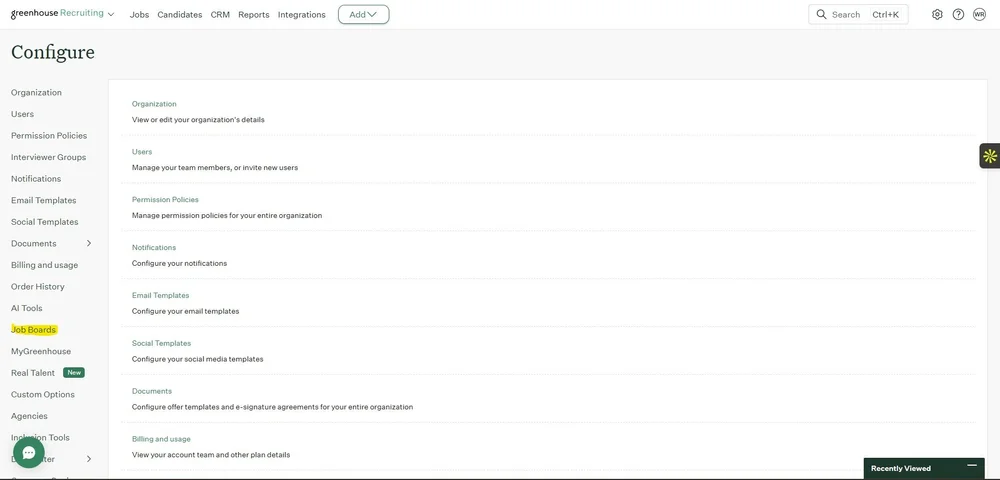
Navigate to Job Board
Go to Configure and open Job Boards.
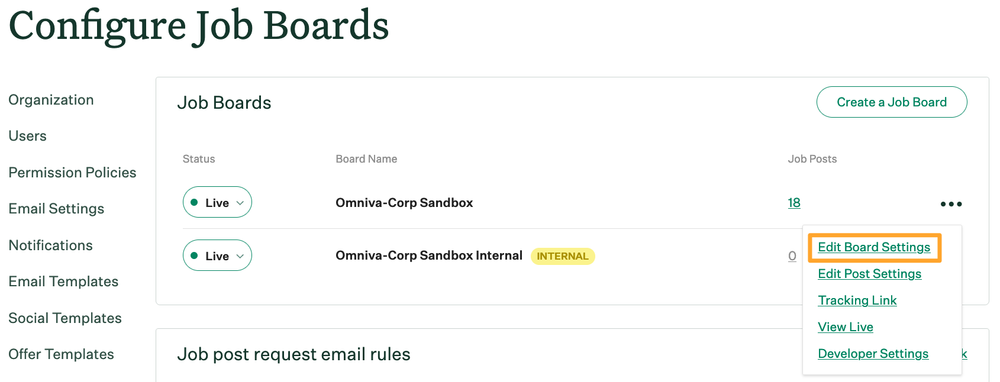
Edit Board Settings
Click Edit Board Settings.
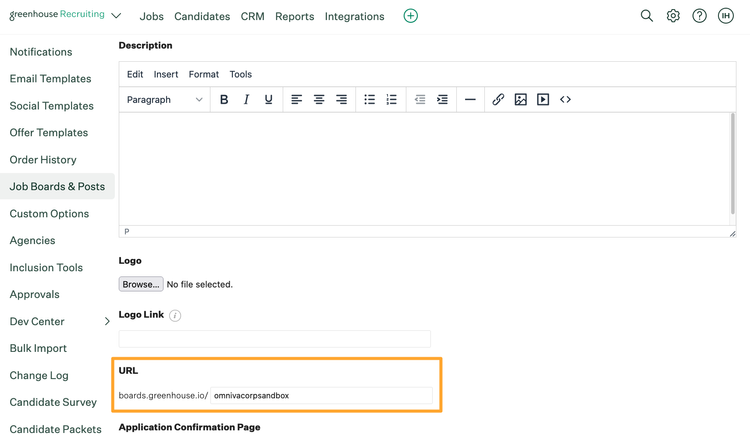
Copy Job Board URL
Copy the full Job Board URL shown in your Greenhouse board settings.
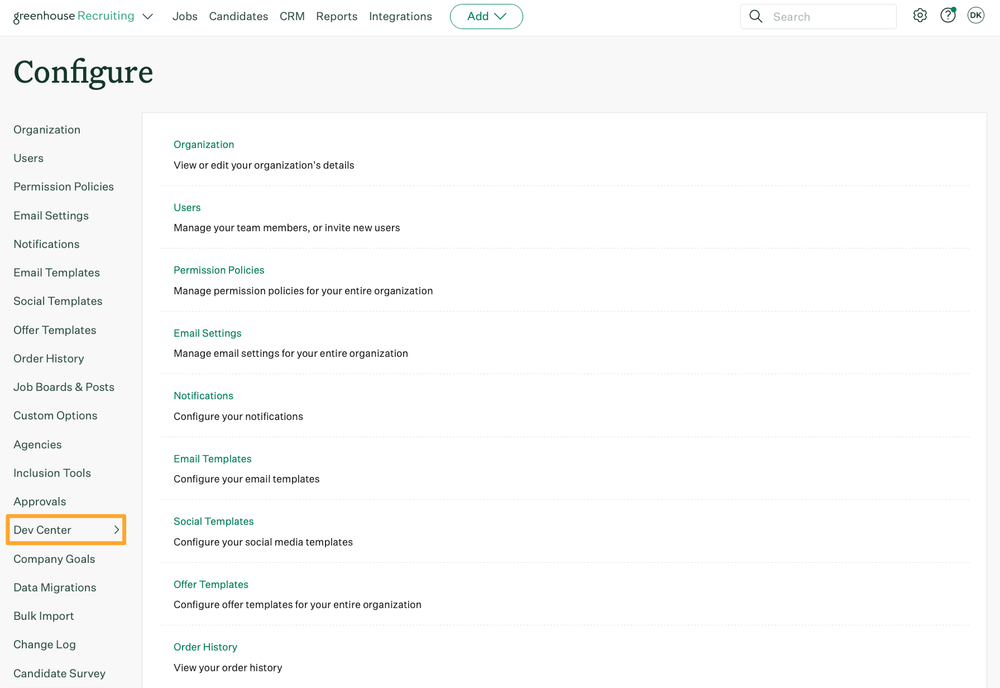
Navigate to Dev Center
Go to Configure and click Dev Center.
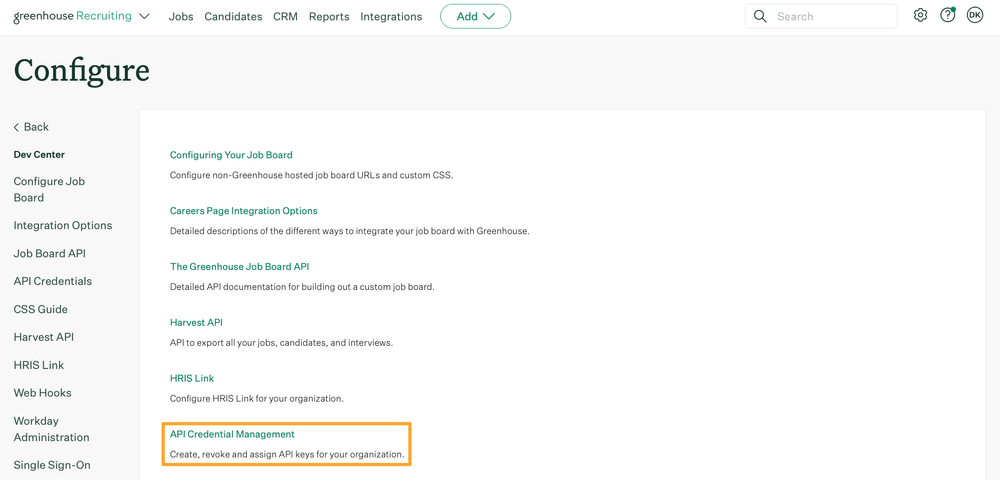
API Credential Management
Click API Credential Management.
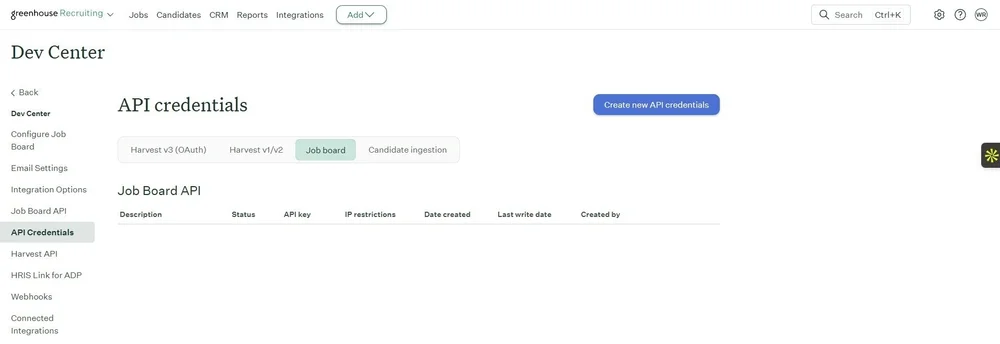
Create New API Credentials
Click Create new API credentials.
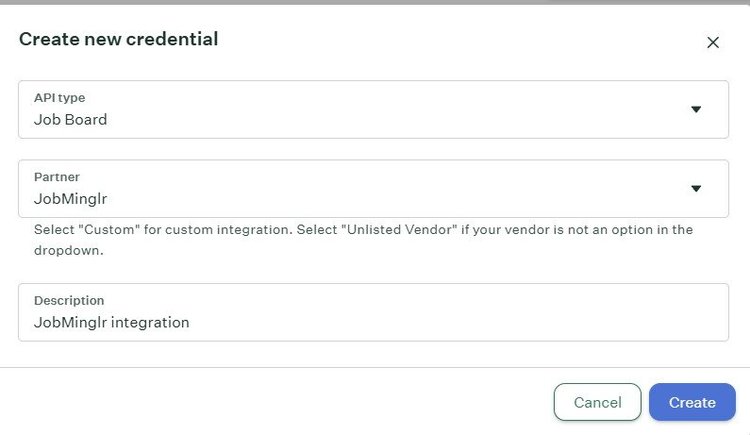
Add JobMinglr
API Type: Job Board
Partner: JobMinglr
Description: JobMinglr integration
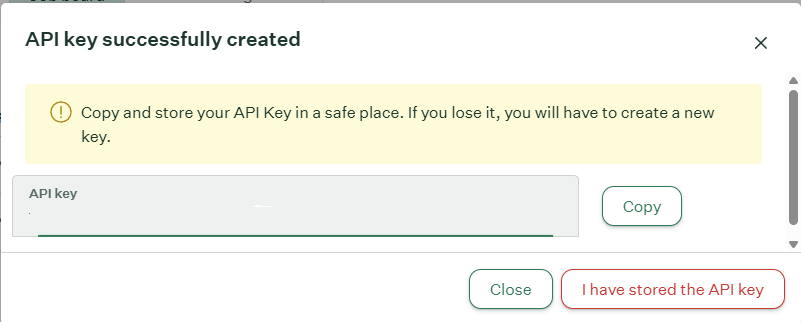
Copy API Key
Click the copy button to copy the API key to your clipboard.
Sign-up Form
What happens after you submit?
Job Sync Timeline
Your jobs will automatically sync with JobMinglr within 24 hours of submitting the form.
Candidate Matching
We only send candidates who are a strong fit for your roles. If you do not receive applications right away, it does not mean the integration failed. It means we are still identifying the right candidates for your positions.
Disabling the Integration
You can stop the integration at any time by removing the API key from your Greenhouse dashboard. Once access is revoked, your job listings will be removed from JobMinglr.
Re-enabling Access
You can enable the integration again at any time without going through the setup process again.
Need help? Contact us at support@jobminglr.com
Learn More About JobMinglr + Greenhouse
JobMinglr integrates directly with Greenhouse to sync your jobs automatically and deliver highly qualified candidates directly into your hiring workflow.
Official JobMinglr Marketplace Listing
Visit our official Greenhouse Marketplace listing to learn how JobMinglr integrates with Greenhouse and how your jobs are synced into JobMinglr.
This is the best place to explore features, requirements, and how the integration fits into your existing hiring workflow.
Official Setup Documentation
Review step-by-step setup instructions provided by Greenhouse so your team can quickly complete the JobMinglr integration.
This guide covers everything from creating API credentials to connecting your job board and verifying your setup.
We Can Help You Get Started
If you are not currently using Greenhouse, fill out the form below and our team will reach out to help you get started.
We will work directly with Greenhouse to guide the setup process and support getting your JobMinglr integration live.
This is the fastest way to get your hiring team up and running and start receiving qualified candidates.